

This message has been hidden because the user has been banned or restricted.

Btw I just found out recently that "Salt Lake" download link is gone. Is this kind of bug, or is the "Salt Lake" removed as intended?
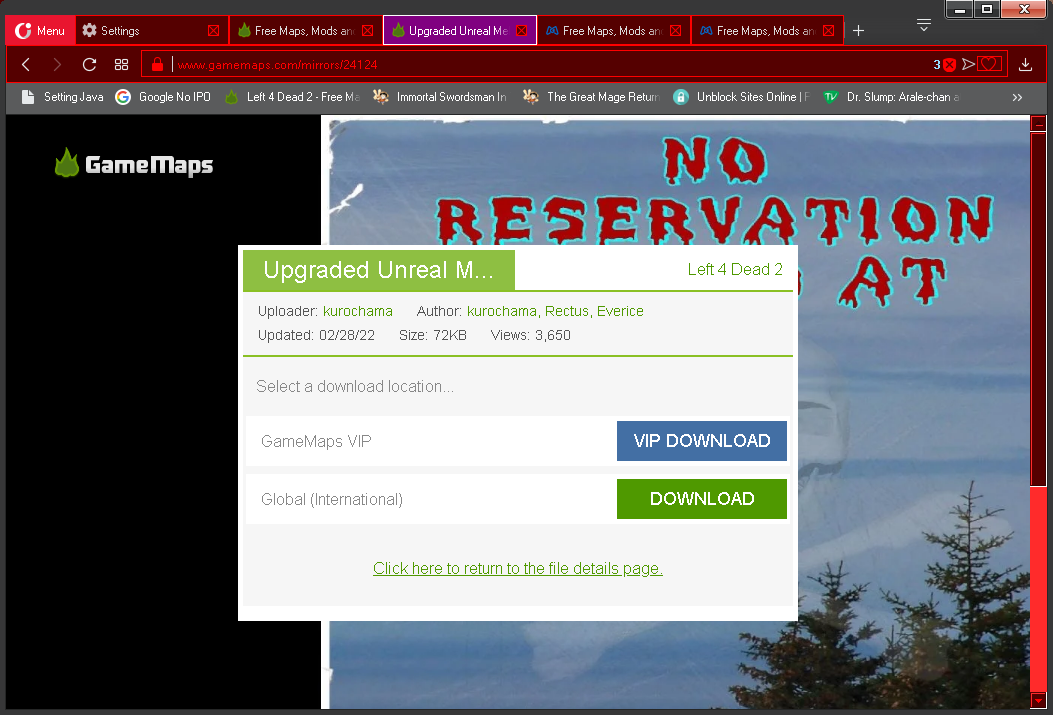 I usually used "Salt Lake" because it supported download manager & resume capability although the speed was slower than the global server download link.
@kurochama
This mirror is discontinued and will no longer be supported in the days ahead.   The Salt Lake server is outdated and does not support the required security certificates needed to function properly (https).   There are plans to update the international mirror so it can support download managers.

We appreciate all the feedback and rest assured we are listening.

P.S.  The reviews system has been released into the beta!   News announcement will likely be posted tomorrow.
-
@mr. ILL:
I see... I'll be waiting for the implementation of the support of download manager on global server then.

& thanks a lot in letting me know about the release of the new review feature.  I gave a try just recently. So far it has good options, like the options about the playability/ condition of the reviewed mod (is it still broken/ playable but with few bugs/ without problem), the rate, & the spoiler alert checkbox. I checked the "spoiler alert checkbox" because I usually have some spoilers on my reviews, & it's pretty handy to view/ hide the review with spoiler alert by touch/ click. The only bug I found would be in the old site. When I checked the old site, the review couldn't be hidden with the spoiler alert feature so my review just showed like how the old reviews looked like. Probably it's not a big problem, as that would be solved once beta site is officially launched to completely replace the old site. Anyway, thanks a lot for releasing the new review feature. Maybe other members could also give some ideas about the new review feature.

So the Google translate Bar has been gone for quite a while now, did you do anything on your end to fix it? Or was it me but not on purpose?
-
Btw for comment section when visiting a mod, I think image attachment would be needed. Currently the features on the comment are only videos, url, & smiley like this:
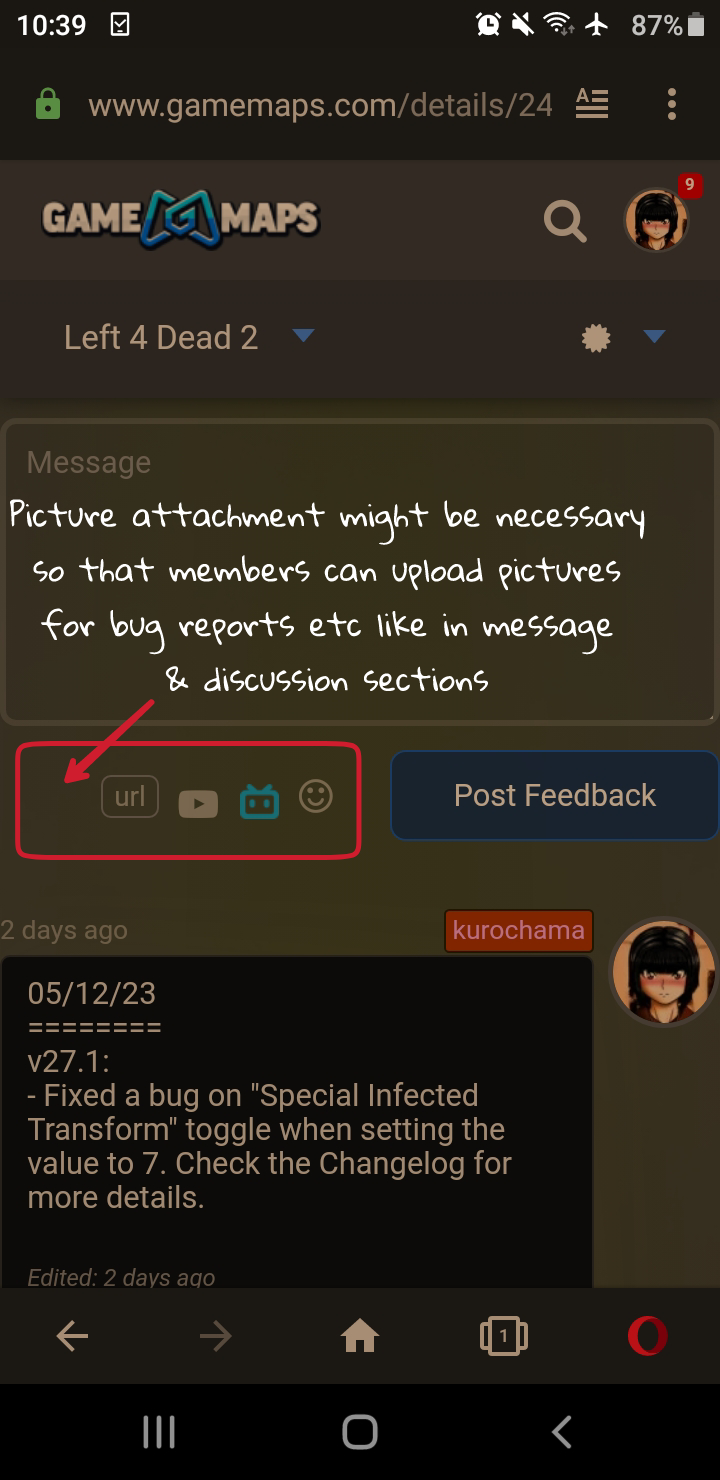 There are times that I need to attach some images to inform the author of a mod/ map about some bugs, but until recently I used service from other image hosting site & that took like two steps as after successfully uploading there, I still had to set url for the images on the comment. It would be better if image attachment is also available on comment, so members won't have to visit image hosting sites just to attach images on the comment.
speaking of publishing, it seems there are still issues with people downloading supposed corrupted VPK for Left 4 Dead 2.
the game will give them some kind of message about the VPK not being right.
I seem to remember this from the past, an old issue you never resolved... and it happens at random, it's hit or miss.
only thing I can still remember from other users is supposedly uploading as a ZIP will help... but it's not guaranteed.
some of us had made completely 100% certain we're obviously uploading the exact same files as our workshop counterparts.
for those of us who are workshop users.
point is, we of course make sure we're uploading the right files and versions and whatnot.
so honestly, it's the site here doing something odd in uploading or maybe even downloading?
-
@Trunten:
As far as I know, there are at least 2 upload bugs in gamemaps:
1. Vpk file upload bug
This bug is often triggered when uploading a vpk file without compressing as a zip. This only happens in new gamemaps, as the old gamemaps never had this problem before. The uploaded vpk file will have zip format automatically, but the compression rate is 99% (almost no compression). This might be caused by gamemaps auto compression process to zip, because the vpk file inside the zip with 99% compression rate is actually a zip format, not vpk. It can be checked by renaming the vpk file format to "*zip" & then extract it once more, & the real working vpk file will show up. Currently, the proof of this bug exists in "Resident Evil 3" campaign, as I left a comment there to notify the author about the bug I found.

2. Upload version bug
This bug happens if a member uploads a mod without changing the version of the mod. As the result, the mod showing up is the previous mod before uploading instead of the newly uploaded mod. This bug can be fixed by uploading the same mod again by changing its version (example: if the previous version is 1.2, the reuploaded version should be 1.3 or 1.21).

The problems you found might be caused by either one of them. These two bugs are kind of annoying ones, as not all uploaders notice them, & they only notice after some members put some comments about the problems. Well, we probably can only wait until admin & staff take some actions & fix them, as it's been months since last time they actively updated this site. Maybe they're still busy in real life.

Kurochama and Trunten: Cloudflare is used by gamemaps, and earlier this month I had issues with that even though I wasn't uploading mods. In fact, these days on this site I only upload different thumbnails. But when I did upload mods or updates to mods I NEVER EVEN ONCE turned them into ZIP files first. Gamemaps may need its own servers if it is going to solve these ongoing problems, which have been ongoing FOR YEARS!
-
@AlfredENeuman:
So far I've got zero case when uploading as a zip file until now, but the upload bug happened to them who uploaded a vpk file instead of zip. Trunten also ever experienced it back then when updating "Zero Warning", & recently Roku/ Rodry Metal is also experiencing it in his recently updated "RE 3" campaign (you can test to download "RE 3" campaign to check it yourself). Probably the bug doesn't always happen, because in your case you've never got this bug even once when uploading a vpk file. Most of the time, this bug was triggered on mods/ campaigns with more than 100 mb size, but I'm still not sure if file size really triggers this bug or not. But based on how the vpk file was corrupted (not really corrupted, as it only had the file extension changed), it must be something related to the auto compression process by gamemaps during uploading. The vpk file inside the zip file is actually a zip file with the extension renamed to "*.vpk". That's why when checked with GCFScape, there shows an error, as it's originally a zip file.

Well, based on what you said, probably there are other bugs other than those two I mentioned above. & the strange thing is, these kinds of bugs never happened in the old gamemaps, because back then in the old gamemaps I also directly uploaded a vpk file many times & never got that kind of bug.
-
Actually, I had issues once in a while with Cloudflare with the old version of gamemaps too. And that's one reason I mentioned I think they'd have fewer problems with their own servers (local control, if you will would be helpful in fixing any issues.) But I do agree with what you just said.